September 21st, 2014 • 1 Comment
Suricate is an open source Data Science platform. As it is architected to be a native-cloud app, it is composed into multiple parts:
- a web frontend (which can be load-balanced)
- execution nodes which actually perform the data science tasks for the user (for now each user must have at least one exec node assigned)
- a mongo database for storage (which can be clustered for HA)
- a RabbitMQ messaging system (which can be clustered for HA)
Up till now each part was running in a SmartOS zone in my test setup or run with Openhift Gears. But I wanted to give CoreOS a shot and slowly get into using things like Kubernetes. This tutorial hence will guide through creating: the Docker image needed, the deployment of RabbitMQ & MongoDB as well as deployment of the services of Suricate itself on top of a CoreOS cluster. We’ll use suricate as an example case here – it is also the general instructions to running distributed python apps on CoreOS.
Step 0) Get a CoreOS cluster up & running
Best done using VagrantUp and this repository.
Step 1) Creating a docker image with the python app embedded
Initially we need to create a docker image which embeds the Python application itself. Therefore we will create a image based on Ubuntu and install the necessary requirements. To get started create a new directory – within initialize a git repository. Once done we’ll embed the python code we want to run using a git submodule.
$ git init
$ git submodule add https://github.com/engjoy/suricate.git
Now we’ll create a little directory called misc and dump the python scripts in it which execute the frontend and execution node of suricate. The requirements.txt file is a pip requirements file.
$ ls -ltr misc/
total 12
-rw-r--r-- 1 core core 20 Sep 21 11:53 requirements.txt
-rw-r--r-- 1 core core 737 Sep 21 12:21 frontend.py
-rw-r--r-- 1 core core 764 Sep 21 12:29 execnode.py
Now it is down to creating a Dockerfile which will install the requirements and make sure the suricate application is deployed:
$ cat Dockerfile
FROM ubuntu
MAINTAINER engjoy UG (haftungsbeschraenkt)

# apt-get stuff
RUN echo "deb http://archive.ubuntu.com/ubuntu/ trusty main universe" >> /etc/apt/sources.list
RUN apt-get update
RUN apt-get install -y tar build-essential
RUN apt-get install -y python python-dev python-distribute python-pip

# deploy suricate
ADD /misc /misc
ADD /suricate /suricate

RUN pip install -r /misc/requirements.txt

RUN cd suricate && python setup.py install && cd ..
Now all there is left to do is to build the image:
$ docker build -t docker/suricate .
Now we have a docker image we can use for both the frontend and execution nodes of suricate. When starting the docker container we will just make sure to start the right executable.
Note.: Once done publish all on DockerHub – that’ll make live easy for you in future.
Step 2) Getting RabbitMQ and MongoDB up & running as units
Before getting suricate up and running we need a RabbitMq broker and a Mongo database. These are just dependencies for our app – your app might need a different set of services. Download the docker images first:
$ docker pull tutum/rabbitmq
$ docker pull dockerfile/mongodb
Now we will need to define the RabbitMQ service as a CoreOS unit in a file call rabbitmq.service:
$ cat rabbitmq.service
[Unit]
Description=RabbitMQ server
After=docker.service
Requires=docker.service
After=etcd.service
Requires=etcd.service

[Service]
ExecStartPre=/bin/sh -c "/usr/bin/docker rm -f rabbitmq > /dev/null ; true"
ExecStart=/usr/bin/docker run -p 5672:5672 -p 15672:15672 -e RABBITMQ_PASS=secret --name rabbitmq tutum/rabbitmq
ExecStop=/usr/bin/docker stop rabbitmq
ExecStopPost=/usr/bin/docker rm -f rabbitmq
Now in CoreOS we can use fleet to start the rabbitmq service:
$ fleetctl start rabbitmq.service
$ fleetctl list-units
UNIT                    MACHINE                         ACTIVE  SUB
rabbitmq.service        b9239746.../172.17.8.101        active  running
The CoreOS cluster will make sure the docker container is launched and RabbitMQ is up & running. More on fleet & scheduling can be found here.
This steps needs to be repeated for the MongoDB service. But afterall it is just a change of the Exec* scripts above (Mind the port setups!). Once done MongoDB and RabbitMQ will happily run:
$ fleetctl list-units
UNIT                    MACHINE                         ACTIVE  SUB
mongo.service           b9239746.../172.17.8.101        active  running
rabbitmq.service        b9239746.../172.17.8.101        active  running
Step 3) Run frontend and execution nodes of suricate.
Now it is time to bring up the python application. As we have defined a docker image called engjoy/suricate in step 1 we just need to define the units for CoreOS fleet again. For the frontend we create:
$ cat frontend.service
[Unit]
Description=Exec node server
After=docker.service
Requires=docker.service
After=etcd.service
Requires=etcd.service

[Service]
ExecStartPre=/bin/sh -c "/usr/bin/docker rm -f suricate > /dev/null ; true"
ExecStart=/usr/bin/docker run -p 8888:8888 --name suricate -e MONGO_URI=<change uri> -e RABBITMQ_URI=<change uri> engjoy/suricate python /misc/frontend.py
ExecStop=/usr/bin/docker stop suricate
ExecStopPost=/usr/bin/docker rm -f suricate
As you can see it will use the engjoy/suricate image from above and just run the python command. The frontend is now up & running. The same steps need to be repeated for the execution node. As we run at least one execution node per tenant we’ll get multiple units for now. After bringing up multiple execution nodes and the frontend the list of units looks like:
$ fleetctl list-units
UNIT                    MACHINE                         ACTIVE  SUB
exec_node_user1.service b9239746.../172.17.8.101        active  running
exec_node_user2.service b9239746.../172.17.8.101        active  running
frontend.service        b9239746.../172.17.8.101        active  running
mongo.service           b9239746.../172.17.8.101        active  running
rabbitmq.service        b9239746.../172.17.8.101        active  running
[...]
Now your distributed Python app is happily running on a CoreOS cluster.
Some notes
- Container building can be repeated without the need to destroy: docker build -t engjoy/suricate .
- Getting the log output of container to check why the python app crashed: docker logs <container name>
- Sometimes it is handy to test the docker run command before defining the unit files in CoreOS
- Mongo storage should be shared – do this by adding the following to the docker run command: -v <db-dir>:/data/db
- fleetctl destroy <unit> and list-units are you’re friends 🙂
- The files above with simplified scheduling & authentication examples can be found here.
Categories: Personal • Tags: Analytics, Cloud, CoreOS, Data Science, Python, Software Engineering, Tech • Permalink for this article
February 21st, 2011 • Comments Off on My Software Development Environment for Python
Python is my favorite programming language for multiple reasons. Most important though is that it has a strong community, a Benevolent Dictator For Life (BDFL) and allows rapid development of high quality software. I love automation of processes wherever possible because it saves time. Here is a list of tools, methodologies, stuff I use to ensure code quality:
- Source Code Management (SCM) – Currently I prefer using Mercurial. It is written in Python and has a low learning curve. Although similar to GIT I don’t think there is much to argue against or in favor of GIT over Mercurial. Most of the time I’m fiddeling around with the command line but for merging I use meld (nice 3-way view) and hgview (it’s faster than the hgk extension) for viewing the current status of the repository.
- Issue Tracking – Since I’m coding in small teams only I find a story board which is located next to the code most convenient. For bigger teams I would favor Mantis.
- Project hosting – Although I’m not a huge fan of Sourceforge it currently offers all I need. Major issue against Sourceforge is the performance of the service. But the ability to deploy website is a must have for me.
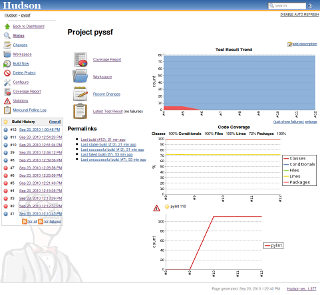
- Quality assurance – I use: pylint for code style checks (PEP8 conform of course :-)) (and with a rating with 10 out of 10 :-)), pycoverage for coverage reports (I love to get 100% code coverage with my unittests (Also see this post here) – and yes that’s possible), pygenie to review the complexity, pycallgraph to get an overview of how the code behaves during run-time, and last but no least pep8 for some sanity checks. All these tools are embedded Hudson and reports are generated automatically (!!) without human interaction *yeeha*
- Reporting & Builds – Probably because I have some Sun Microsystems background I like hudson – It runs as a service on my machine in the background and is bound to my local branch of my python code (Polls every 5 minutes). Each time I do a ‘hg commit’ it tests the software and creates a bunch of reports. Nicely integrated are the pylint (via Violations plugins) and the Coverage reporting. So I just have to visit the local hudson page and see what is going on. I could do automatic releases of my code and deploy those on pypi but I don’t because in some months I don’t code that much. (BTW.: I’m not contributing to the Hudson, Jenkins discussion :-))
- Packaging – I use pip to access pypi – Why? Because of the uninstallation and build features it offers. And also the pip requirement files are nice!
- Documentation – I find the sphinx tool very convenient. It comes with nice themes, good code integration and easy to write markup language.
- IDE – I use IDLE for smaller edits, when doing real coding I currently run Aptana Studio Beta 3 – Try it out – it has some nice features (Like the build in Terminal, Python support, Refactoring, Code Formatting, Usable for website development as well etc.).
- Shell script – This is probably not the nicest way but for now the fastest. I have one shell scripts in place which is called by hudson (Main reason why it is a shell script) and which I use to deploy versions of the software to pypi. Whenever I deploy those scripts for example first ensure that all tests run and after a successful deployment they create a tag in the SCM with the version string.
Tools I sometimes use during the development of code:
- tornado web – It is fast, and the asnc calls are nice. The ideal framework to write RESTful service in python.
- django – For bigger Apps I would recommend the Django Framework
- SWIG – To call C libraries from python. I still find it the most convenient way – but I’m happy to be told otherwise
Thinks I would like to have replacements for:
- I would love to see a smartHG instead of smartGIT 🙂
- A mixture of github, bitbucket and SourceForge for project hosting
- Maybe an replacement for hudson…
- the SWIG solution…
Overall I’m pretty happy with this setup and find it good for fast coding. I usually write unittests (With test for success, failure and sanity for every routine) first before starting coding. I don’t find it a time waste but actually I’m pretty sure that the overall setup allows me to code and refactor faster.
Maybe others or you (?) also want to writeup their setups and we can start a site like The Setup for Software Development? Please Retweet and share the link!
Update: Also have a look at this Python and Dtrace blog post.
Categories: Personal, Work • Tags: Python, Software Engineering • Permalink for this article
September 23rd, 2010 • 3 Comments
Regarding Continuous Integration (CI) systems I probably still like Hudson! Great tool and runs perfectly well. Just get the latest jar file and run it with java – jar hudson.jar. Now to get started you will need to install some plugins:
- the Python plugin
- the mercurial (or whatever SCM you use) plugin
- Violations Plugin (which will parse pylint output later on)
- Cobertura Plugin (which will parse the coverage output and display it nicely)
You can install those plugins in he management interface of hudson. When configuring the job in hudson you simple add a new “Build a free-style software project” job. Add SCM information – and than add some build steps. I had to use two:
python setup.py clean --all
python setup.py build
coverage erase
nosetests --with-coverage --cover-package=<your packages> --with-xunit
coverage xml
And a second one:
#!/bin/bash
pylint -f parseable <your packages> > pylint.txt
echo "pylint complete"
Both are external scripts. Now in the post-build section activate the JUnit test reporting and tell it to use the **/nosetests.xml file. Also activate the Cobertura Coverage report and tell it to use **/coverage.xml. Finally activate the Report Violations – and add pylint.txt in the right row.
Configure the rest of the stuff just as you like and hit the Build button. Thanks to XML the reporting tools written for java can parser the output generated for your Python project. Now you have nice reports from a Python project in Hudson!
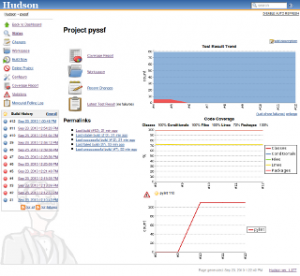
A more detailed and great article about this topic can be found here.
Categories: Work • Tags: Python, Software Engineering • Permalink for this article
July 14th, 2010 • 1 Comment
I’m a fan of software development processes. They need to be simple and easy to follow. Now one thing I like are so called task/story boards for agile development to keep track of stuff in the pipeline. What I do not like is that tool support is rather not good. Most people seem to be using ‘real’ task/story boards with paper and pen. That is not an option for me – since I’m not always in the same place 🙂
Other tools are so overblown that they are hardly usable – and again an external tool makes that the stories and their states are not stored near the source code – where the belong IMHO.
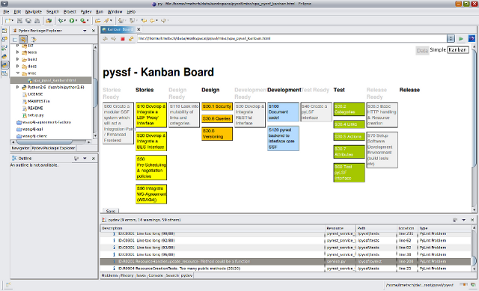
So I stumbled upon simple-kanban an easy tool where you basically can just drag and drop stories around based on their state. There is a very simple editor for editing the stories and the best feature is: It’s an single HTML file which you can check-in next to your source code in your SCM. And with the web browser integrated in eclipse even open in your IDE.
Only feature missing was that this board couldn’t store the information – you had to manually copy the stories from the editor and paste them into the HTML file, which you could save then:
Go to the data view and copy all stories. Then simply edit the source of the HTML file with an editor of your choice, preferably one which knows HTML. There you can paste the copied stories over the old ones and save the HTML file.
I didn’t like that – and since I knew of tiddlywiki, which is another single page application (SPA), which can store data, I thought I can update it. So I took the saving features from the wiki (described here BTW) and integrated them with the simple-kanban board. Now I have a save button and do not need to do nasty copy & pastes into source codes.
BTW this is how it looks in Eclipse:
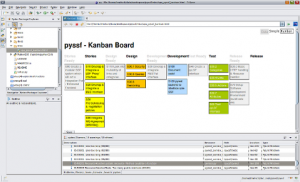
Nice for small projects, your to-dos (Getting Thinks Done (GTD)) or any other stuff…
Categories: Work • Tags: Software Engineering • Permalink for this article
May 17th, 2010 • 4 Comments
I’m a big fan of Open Source Software. But I can also understand that making money is important nowadays. And to be honest I feel more confident when a company is involved in the development of a tool/product/application. I think communities are great – but a company with real QA and who needs to make money out of a tool/product/application has a motivation to make the best out of the tool/product/application.
Now the question is: How do you make money with this in mind? Simply by selling support contracts? I have seen companies fail with that model.
A good idea might be to release the code in open source but as a company do development of new features in a closed repository. Make a clear release plan which shows the upcoming features (and distribute it). When a customer needs one of these upcoming features etc. he can either:
- develop them himself or
- buy a license to get the access to the current version or
- wait
Next to that Support contracts might still be an option 🙂
Crucial point is here the right choice of a source code control system. Because the community still might develop cool features which you want in you closed repository as well…But distributed SCMs do the job…
Categories: Personal • Tags: Software Engineering • Permalink for this article